Lower perceived waiting
Number calling is clearer, service flow is calmer, and customers are no longer tied to a static physical line.
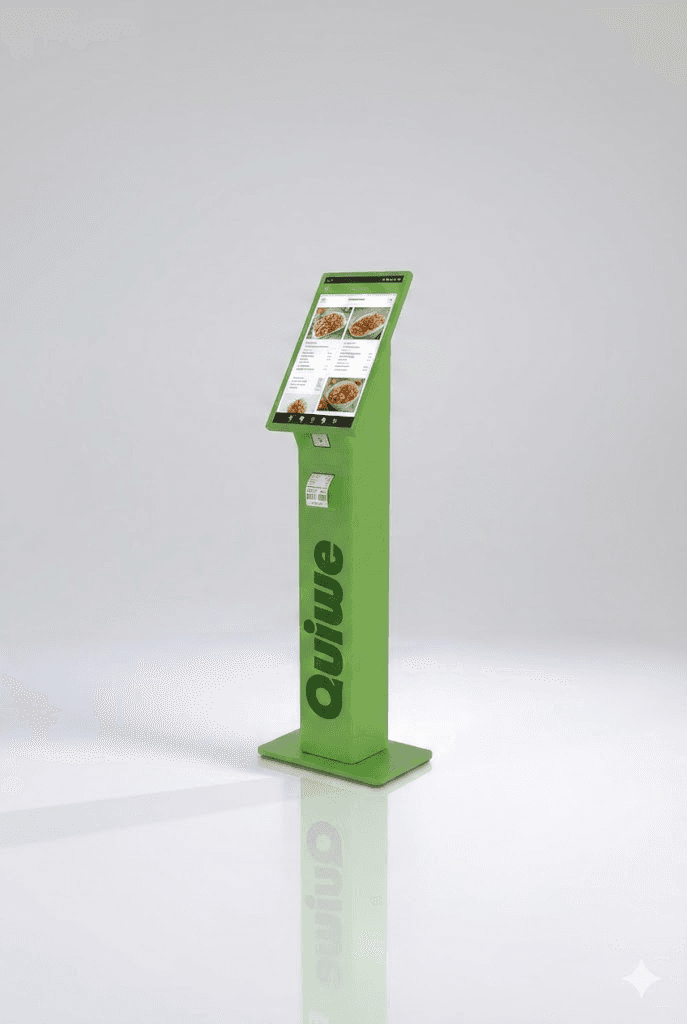
Run printed and digital tickets in one operating flow: customers join from kiosk or smartphone, operators call in sequence, and displays show live queue status and now-serving updates.
Kiosk + displays + dashboard: centralized control, local in-store continuity even without internet, and Web Push updates for customers.
Number calling is clearer, service flow is calmer, and customers are no longer tied to a static physical line.

Teams keep the same operating process whether customers enter from kiosk or smartphone.
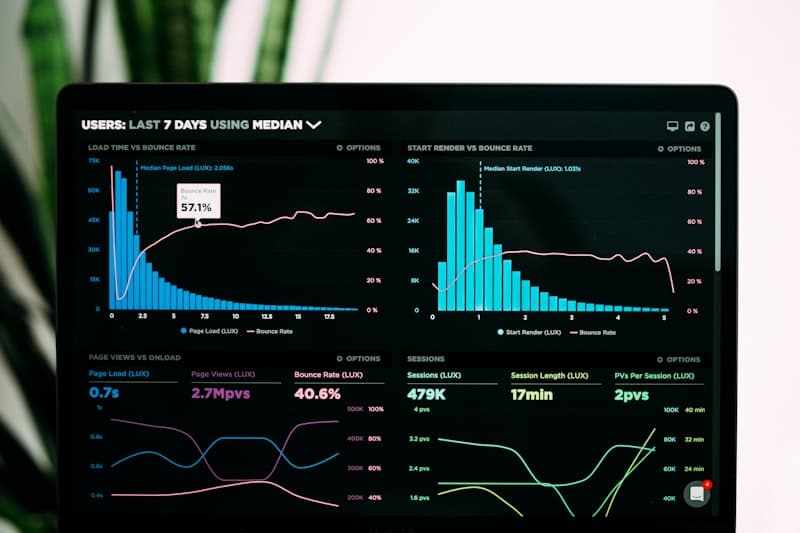
Core ticketing runs locally with SQLite persistence, so counters continue operating even with unstable WAN.

Dashboard provisioning, heartbeat, logs, and content sync keep kiosk, displays, and service views aligned.
Scroll this section: the kiosk visual stays pinned on the left while the operational steps appear on the right.
00 / 00
Customers choose department at the kiosk and get a printed number or a digital one through temporary QR/code validation.
Customers choose department at the kiosk and get a printed number or a digital one through temporary QR/code validation.
Operators move queue numbers with NEXT/PREV controls while displays instantly reflect who is currently being served.
With digital queue enabled, customers receive Web Push alerts for turn-soon and turn-ready without installing any app.
One codebase, multiple endpoint roles: built for counters, departments, and multi-store deployments.
Advanced system capabilities
ServingTimeEstimator continuously updates displayed waiting time on kiosk, displays, and smartphones based on real call and service pace, so customers and teams get a more trustworthy estimate throughout the day.
Clear and continuously refreshed wait estimates
The estimate follows real department pace, absorbs peak-hour variability, and remains useful even during high traffic windows.
Estimated waiting time is not a fixed number. It evolves during the day according to how service is actually progressing in each department.
1. It starts from real counter pace
As numbers are called and served, the system learns the current service rhythm of that department.
2. It adapts when rhythm changes
If service speeds up or slows down, the estimate adjusts progressively instead of jumping unpredictably.
3. It avoids misleading spikes
Long pauses or unresolved tickets do not dominate the estimate, so displayed waiting time stays realistic.
4. It stays informative from day start
When little history is available, the system uses a conservative default pace and then automatically shifts to real observed behavior.
Customer outcome: a clear, easy-to-understand waiting indication that helps people decide whether to stay near the counter or come back when their turn is close.
Virtual tickets always in view
Customers can track their turn independently on their own device, even away from the counter.
Customers can receive virtual tickets and track their turn on smartphone, keeping queue position under control even when they are not standing in front of the counter.
Ingredient documents and product technical sheets are configured remotely from the centralized dashboard and distributed instantly to in-store endpoints.
HQ-controlled document content
Technical documents and ingredient information are distributed consistently across all in-store endpoints.
The price-checker can query the complete store inventory to show prices, specifications, and detailed product information through customer-system integrations.
Inventory-based prices and specs
Product lookup on kiosk with data synchronized from the integrated store management system.
Centralized promotional scheduling
Image rotation and campaign control managed from one dashboard workflow.
The kiosk can run promotional image rotations managed via dashboard scheduling, keeping campaigns and in-store communication consistently updated.
The platform combines local in-store runtime, realtime channels, and cloud control so service stays stable.
Already included
These areas can be planned as custom integrations when required.
Collect requirements for departments, endpoints, printers, and real service constraints.
Configure database, admin users, alert policy, and location-level content structure.
Deploy Quiwe App on kiosk/display/service and configure discovery, departments, and layouts.
Link devices, sync content, run end-to-end tests, and train operators before launch.
FAQ 01
Yes. Core ticketing and queue management run locally in-store and persist on a local database.
FAQ 02
No. The flow is web-based: customers scan a QR or enter a code and manage tickets from their browser.
FAQ 03
Not in the standard setup. Customer notifications are currently delivered via browser Web Push.
FAQ 04
Through an admin-approved device link flow. Each endpoint receives dedicated credentials for heartbeat, content sync, and monitoring.
FAQ 05
Only if you want smartphone access outside the local network. In that case, a public base URL is configured.
FAQ 06
Yes. Dashboard alerts can be sent by email for offline transitions and printer errors with deduplication logic.
FAQ 07
It depends on departments, hardware, and networking. The recommended roadmap keeps setup, installation, and go-live in short phases.
Next step
We start from your departments, endpoints, and service volume to design a practical rollout path and go-live plan.